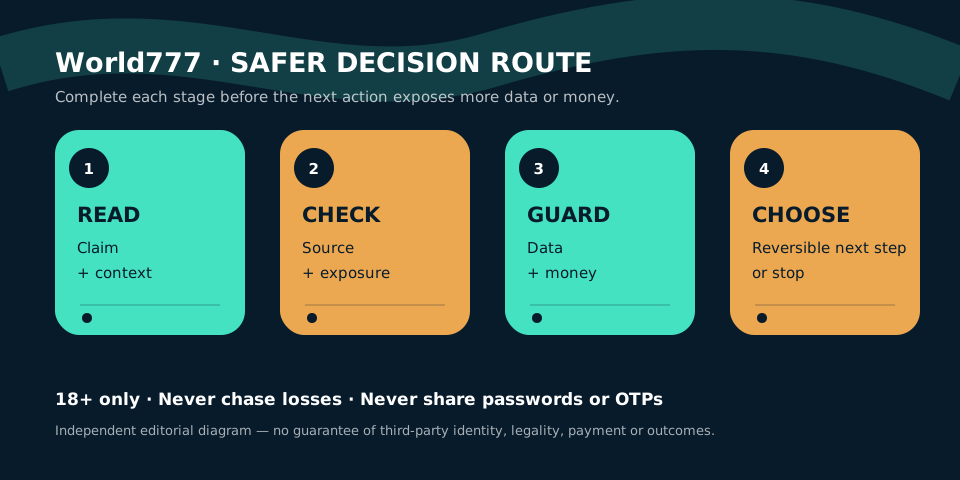
A five-step login check
- Return through a saved route. Use a bookmark created when you verified the service, not a fresh search result or forwarded message.
- Read the hostname character by character. Hyphens, added words and unfamiliar country domains can lead to unrelated sites.
- Check the page context. Privacy terms, legal identity, account support and consistent navigation should be easy to find. Their presence is not proof, but their absence is a warning.
- Use a unique password. Password reuse lets a breach elsewhere expose this account. A password manager can generate and store a separate credential.
- Stop if the flow changes unexpectedly. New downloads, remote-control requests, crypto transfers or demands for a “release fee” deserve independent verification.
Signals of an impersonation attempt
| Signal | Why it matters | Safer response |
|---|---|---|
| Login link sent in a direct message | The sender can control a lookalike page. | Open your own saved route and contact support independently. |
| Agent asks for an OTP | An OTP can authorise access or a transaction. | Do not share it; end the conversation. |
| Urgent payment to unlock access | Pressure reduces time for verification. | Preserve records and verify through published channels. |
| Browser certificate warning | The encrypted connection cannot be trusted. | Leave the page; do not proceed. |
If you cannot access the account
Start with the service’s published recovery flow, not an individual claiming to be an agent. Record the exact domain, date, time and error message. If money is involved, preserve transaction references and screenshots without exposing secret codes. Contact your bank or payment provider promptly if you see an unauthorised transaction.
Change reused passwords anywhere else they were used. Review active sessions and device permissions if those controls exist. If an installed app appears suspicious, disconnect it from sensitive accounts, review accessibility and device-administrator permissions, and seek qualified device support.
Login questions
Does this page provide a World777 login link?
No. We have not verified one authoritative operator destination, so this guide does not direct readers to a money-gaming login.
Can support ask for my OTP?
A legitimate support process should not require you to disclose an OTP intended only for you. Treat the request as a serious warning.
What should I do after a suspicious login?
Change the affected password, secure the connected email and phone account, review transactions, and contact relevant providers through independently verified routes.
Considering a new account instead? Read the signup and identity checklist. For app-based access, continue to the World777 app safety guide.